Dual-Format Live Streaming 2026: How to Design One Show for Vertical and Horizontal Viewers
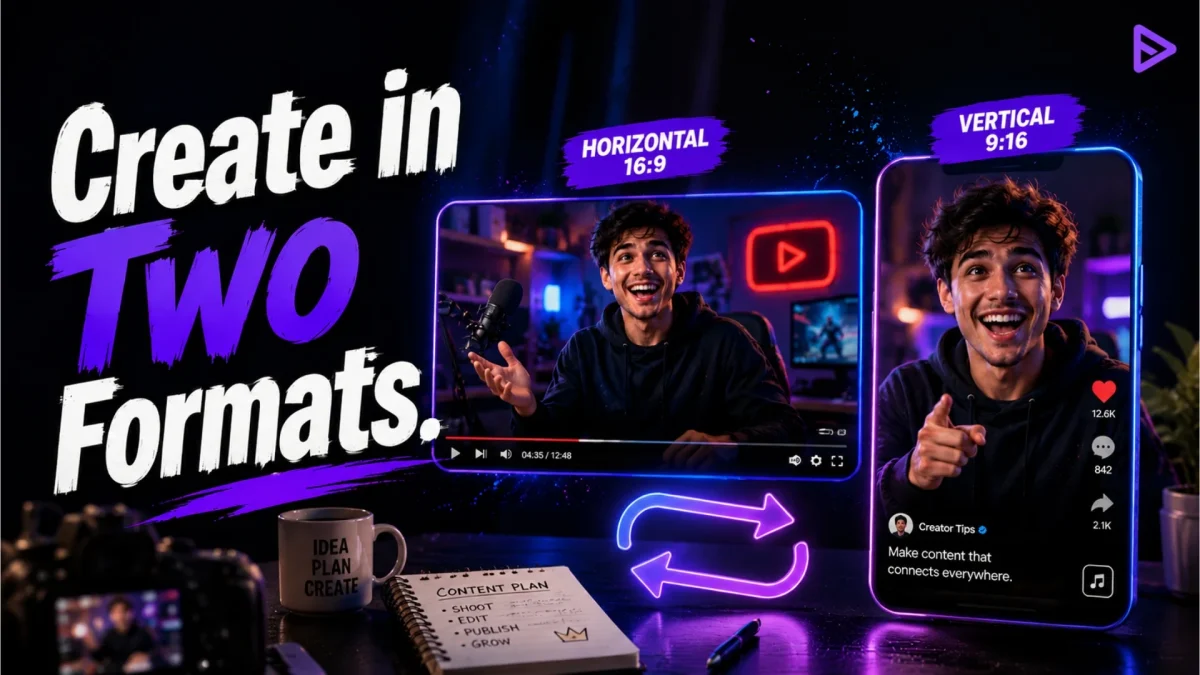
Dual-format live streaming 2026 is changing one of the oldest assumptions about broadcasting: that every viewer is watching the same screen.
A desktop viewer may see a wide studio layout with a host, presentation, guest, chat panel, and several visual elements. A television viewer may sit several metres away and expect large, readable graphics. A mobile viewer may hold a phone vertically and see only the centre portion of that same production.
The broadcast is technically live for everyone, but the viewing experience can be completely different.
This is why platforms are beginning to move beyond the traditional choice between horizontal and vertical video. YouTube can create a vertical version from a horizontal livestream, TikTok LIVE Studio allows creators to preview how a scene appears on mobile, and Twitch introduced Dual Format streaming for all streamers in June 2026.
The emerging creator challenge is no longer:
Should I stream horizontally or vertically?
It is:
How can one show remain understandable in both formats?
The answer is not simply cropping the left and right sides of a horizontal stream. A proper vertical experience may require different camera placement, larger text, fewer visual elements, repositioned gameplay, and a more focused version of the same story.
At STREAM PSDDESAIN, we examine livestreaming platforms, production tools, creator growth, monetization, audience experience, and safer broadcasting practices.
This guide explains how dual-format streaming works, how to design separate horizontal and vertical layouts, what creators should avoid, and how to test whether both audiences are receiving a complete show.
What Is Dual-Format Live Streaming?
Dual-format live streaming means delivering horizontal and vertical versions of the same broadcast at the same time.
The horizontal version commonly uses a wide 16:9 layout suitable for:
- Computers
- Televisions
- Gaming monitors
- Presentation screens
- Traditional video players
The vertical version commonly uses a 9:16 layout designed for:
- Smartphones held upright
- Mobile discovery feeds
- Full-screen portrait viewing
- Short-form video environments
The content, host, conversation, and chat may remain connected, but each orientation can present the material differently.
For example, a horizontal gaming stream may show gameplay across most of the screen, with a camera in one corner and alerts along the side. Its vertical version may place gameplay in the upper section, the creator’s camera in the centre, and captions or selected information below.
Both versions belong to the same show.
They should not look like the same poster forced into two differently shaped frames.
Why Dual Format Is Becoming Important
Mobile viewing is no longer a secondary situation that creators can ignore. Twitch said in its official Dual Format announcement that 70% of its new viewers were arriving through mobile devices.
Twitch’s update allows creators to send horizontal and vertical layouts simultaneously. Viewers holding a phone upright can receive a full-screen vertical version, while desktop and television viewers continue receiving the traditional horizontal layout.
YouTube has also moved toward multi-orientation delivery. Its official live-streaming help page explains that creators using the applicable setting can allow YouTube to generate a vertical stream through an automatic centre crop of the horizontal broadcast.
TikTok LIVE Studio already treats mobile framing as a central production concern. Its official guide to previewing video and audio says creators can preview landscape scenes in both portrait and horizontal viewing modes.
These changes reflect a larger shift: the platform may know which device the viewer is using, but the creator still needs to make the content work on that device.
A Vertical Stream Is Not a Smaller Horizontal Stream
The easiest approach is to create one horizontal scene and crop its centre for mobile viewers.
That can work for simple content, such as:
- One person speaking directly to the camera
- A centred product demonstration
- A close-up performance
- A single visual subject
- A simple interview layout
It becomes less reliable when the horizontal scene contains:
- Small presentation slides
- Gameplay with important information near the edges
- Several guests
- Side panels
- Lower-thirds
- Detailed charts
- Multiple cameras
- Text positioned outside the centre
The vertical viewer may receive the host’s face but lose the product. They may see the presentation but lose the guest. They may receive gameplay with important controls, maps, or statistics removed.
Cropping preserves pixels.
It does not automatically preserve meaning.
Use the Two-Stage Principle
Treat horizontal and vertical layouts as two stages presenting the same programme.
The Horizontal Stage
The horizontal stage provides width. It works well for detailed scenes, wide gameplay, multi-person discussions, side-by-side comparisons, and presentations.
The Vertical Stage
The vertical stage provides focus. It works well for close host framing, mobile interaction, simplified demonstrations, individual guests, captions, and rapid discovery.
The stages should share:
- The same topic
- The same audio
- The same central activity
- The same major result
- The same audience promise
They do not need identical layouts.
A theatre performance and its close-up mobile recording may show the same scene differently. Dual-format streaming follows the same principle.
Start With a Safe Content Zone
Before designing either scene, identify the content that must remain visible in every orientation.
This is the Safe Content Zone.
It may include:
- The host’s face
- The object being demonstrated
- The main gameplay action
- The current question
- The final result
- Essential captions
- A guest’s face
Place critical information near the central area of the original production when automatic cropping may be used.
Avoid placing essential content only at the far left or right edge.
A creator demonstrating a microphone should not hold the microphone outside the vertical crop. A cooking host should not place the ingredients at one edge while standing at the other. A teacher should not put the important equation in the portion mobile viewers cannot see.
Decorative content may disappear.
The meaning should remain.
Automatic Crop Versus Custom Vertical Layout
Creators generally have two possible approaches.
Automatic Vertical Crop
The platform creates a portrait version from the centre of the horizontal feed.
This approach is useful when:
- The subject remains centred
- The scene is visually simple
- The creator wants a faster setup
- The available tools do not support a separate layout
- Computer performance is limited
Its main weakness is reduced control. A platform cannot always know which part of the image matters most during every moment.
Custom Vertical Layout
The creator builds a dedicated portrait canvas and decides where each source appears.
This approach is useful when:
- Gameplay must be repositioned
- Several sources need different arrangements
- Captions need larger text
- The host and demonstration must appear simultaneously
- Mobile discovery is strategically important
- Clips will be created from the vertical version
Twitch’s official Dual Format documentation explains that creators can send separate horizontal and vertical layouts, allowing the mobile version to be customized rather than generated only through a basic crop.
The custom approach requires more preparation, but it usually produces a more intentional mobile experience.
Design the Horizontal Layout First—But Not Alone
For many creators, horizontal remains the detailed production canvas. Start by designing the complete show there, then identify what the vertical version truly needs.
Ask:
- What is the main subject?
- Which visual proves the point?
- What information must remain readable?
- Which elements are decorative?
- What can be removed from the vertical version?
- Which sources need to be repositioned?
The vertical layout should not attempt to preserve every element.
It should preserve the story.
A horizontal interview might contain both speakers, a programme title, social handles, sponsor information, and a chat panel. The vertical version may need only the active speaker, a short topic label, and occasional guest switching.
Less content can produce a clearer experience.
The One-Glance Mobile Test
A mobile viewer may discover the livestream while scrolling quickly. The first frame should explain enough to earn another few seconds.
Take a screenshot of the vertical layout and view it at ordinary phone size.
Within one glance, can you identify:
- Who or what is central?
- What activity is happening?
- Whether the stream is active?
- The main question or goal?
- Any essential text?
When the answer requires zooming, the design is too dense.
The viewer should not need to solve the interface before understanding the content.
Make Text Larger Than Feels Necessary
Text that appears comfortable on a production monitor may become unreadable on a phone.
This affects:
- Topic labels
- Product names
- Poll choices
- Guest names
- Captions
- Instructions
- Scoreboards
- Presentation slides
Avoid copying a complete desktop presentation into the vertical scene.
Instead of showing a slide containing eight bullet points, display one idea at a time.
Horizontal slide:
Five Reasons Your Stream Audio Sounds Unclear
Vertical version:
Problem 1: The Microphone Is Too Far Away
The mobile version should behave like a guided conversation, not a miniature conference room.
Give Every Orientation a Visual Priority
Each layout should have one dominant visual element.
For a tutorial:
- Horizontal priority: demonstration and supporting information
- Vertical priority: host plus the exact demonstration area
For gaming:
- Horizontal priority: complete gameplay
- Vertical priority: critical gameplay region plus creator reaction
For an interview:
- Horizontal priority: both speakers
- Vertical priority: active speaker
For a product stream:
- Horizontal priority: host, product, and comparison table
- Vertical priority: close-up product demonstration
For music:
- Horizontal priority: complete performance environment
- Vertical priority: performer or instrument detail
When everything is equally important, nothing feels important.
Use Format-Specific Scenes
Do not build only one vertical scene and expect it to work for the complete programme.
A practical scene collection may include:
| Horizontal Scene | Vertical Scene |
|---|---|
| Starting Soon | Mobile Starting Soon |
| Host Camera | Vertical Host Close-Up |
| Gameplay | Gameplay Stack |
| Interview | Active Speaker |
| Product Demo | Product Close-Up |
| Be Right Back | Mobile Break Screen |
| Ending | Vertical Result Screen |
The names should make the purpose obvious during a live production.
Avoid source names such as:
- Scene 2
- New Scene
- Vertical Final
- Vertical Final 2
- Correct Vertical Final
Clear scene names reduce mistakes when switching during a broadcast.
The Stack Method for Vertical Gameplay
Wide gameplay is one of the hardest formats to adapt.
Cropping may remove essential information, while shrinking the complete game can make details too small.
A common solution is the Stack Method:
Upper Section
Display the important gameplay view.
Middle Section
Display the creator’s camera or reaction.
Lower Section
Use captions, goals, chat prompts, or limited supporting information.
This method should be tested for the specific game. Some games place maps, health indicators, menus, or objectives near the edges, making aggressive cropping unsuitable.
Do not cover important game information with the creator’s camera merely because the layout looks symmetrical.
Function comes before decoration.
The Active-Speaker Method for Interviews
A four-person horizontal panel can become extremely small in a vertical frame.
Instead of displaying everyone equally, the vertical version may highlight the active speaker.
When someone else begins speaking, switch the main portrait source.
The layout may include:
- Active speaker
- Small programme title
- Guest name
- Short caption
- Optional indicator showing that other guests are present
The horizontal audience can continue seeing the complete panel.
The vertical audience receives a closer and more readable experience.
This requires active production or automated switching tools, but it usually works better than compressing four tiny faces into one phone screen.
Do Not Forget the Quiet Moments
A vertical layout may look strong during the main activity but fail during transitions.
Test what mobile viewers see while:
- A guest is connecting
- A file is loading
- The host is reading comments
- The programme moves to another segment
- A demonstration is being reset
- The stream experiences technical trouble
- The show is ending
Prepare vertical versions of:
- Holding screens
- Break screens
- Technical-difficulty messages
- Countdown screens
- Closing screens
Do not leave mobile viewers staring at an accidental crop of an empty chair.
Keep One Shared Audio Story
The horizontal and vertical versions may look different, but the audio should make sense to both audiences.
Avoid saying:
Look at the chart on the right.
The vertical audience may not have a visible right-side chart.
Use orientation-neutral language:
The second result shows the largest improvement.
Instead of:
Click the button below me.
Say:
Use the poll displayed on your screen.
The host may not always know which layout each viewer receives.
The spoken explanation should remain useful across formats.
Use Context Resets for Mobile Discovery
Mobile viewers may enter midway through the broadcast through a discovery feed.
Provide short resets at natural transitions:
Welcome in. We’re comparing three microphone positions, and this is the final test before viewers choose the winner.
You’ve joined our design challenge. We have completed two logos, and chat is selecting the colour for the third.
We’re testing whether a phone camera can replace a webcam. The first round is complete, and the phone is currently winning.
A context reset takes only a few seconds.
It may prevent a new viewer from leaving because they cannot understand the room.
Do Not Turn Vertical Into an Advertisement
Some creators treat the vertical layout as a promotional banner for the horizontal stream.
The screen becomes filled with:
- “Watch the full stream”
- Arrows
- Channel names
- Follow requests
- Promotional messages
- Subscription goals
This wastes the vertical experience.
Mobile viewers should receive a real version of the show, not a waiting room directing them elsewhere.
Promotion can remain present, but the vertical broadcast must provide immediate value.
A viewer who enjoys the mobile experience may choose to watch more later.
A viewer treated as an advertising impression may simply continue scrolling.
Build for Vertical Clips During the Live Show
Twitch says its Dual Format system can produce both horizontal and vertical versions of Clips and VOD content. This gives creators an opportunity to design live moments that can become mobile-friendly clips without rebuilding everything afterwards.
Plan several Clip Windows during the show.
A Clip Window might contain:
- One complete answer
- A clear reaction
- A before-and-after reveal
- A short demonstration
- A useful lesson
- A final result
- A memorable guest statement
During that moment:
- Keep the main subject visible
- Avoid covering it with alerts
- State enough context
- Complete the idea
- Pause before moving on
A chaotic 30-second moment is difficult to reuse.
A self-contained live segment can become a valuable short clip.
The Vertical Clip Sentence
Before delivering a key point, use a sentence that creates context:
Here is the fastest way to make a basic microphone sound clearer.
This is why your vertical stream looks crowded on mobile.
We tested all three layouts, and this one produced the clearest result.
That opening helps the live audience and makes the eventual clip easier to understand.
Do not repeat these lines so often that the stream feels scripted entirely for future clips.
The live audience remains the priority.
Understand the Performance Cost
Producing multiple layouts can require additional computer resources.
A dual-format setup may involve:
- More scenes
- Additional source copies
- Multiple encodes
- Higher graphics usage
- More upload bandwidth
- Extra production monitoring
Twitch’s Dual Format system uses its Enhanced Broadcasting technology. Its official announcement says the system uses the creator’s client to encode multiple stream variants, while server-side transcoding is available for Partners and many Affiliates to reduce some of the workload.
Before using dual format for an important stream, test:
- CPU usage
- GPU usage
- Dropped frames
- Encoder overload
- Upload stability
- Audio synchronization
- Scene-switching delay
- Device temperature
Do not assume that because each format works separately, they will work perfectly together.
Run a Private Technical Rehearsal
Use a test broadcast, local recording, rehearsal mode, or limited audience where available.
During the rehearsal:
- Switch through every horizontal scene.
- Check the matching vertical scene.
- Speak at normal volume.
- Play the expected media or game.
- Trigger typical alerts.
- Invite a test guest.
- View the stream from a phone.
- View it from a computer.
- Rotate the mobile device.
- Review the recording.
Ask another person to watch without seeing the production setup.
The creator knows what should be happening.
A test viewer can reveal what is actually understandable.
The Two-Device Reality Check
Do not trust only the software preview.
Open the live test on:
- One smartphone
- One computer or television
Check the experiences simultaneously.
On Mobile
- Is the subject large enough?
- Is the text readable?
- Are important objects visible?
- Does the vertical crop make sense?
- Are alerts covering the content?
- Does the stream feel native to the phone?
On Desktop or Television
- Is the wide scene balanced?
- Is the text large enough from a distance?
- Does the scene contain unnecessary empty space?
- Are the camera and screen capture clear?
- Does the horizontal version still feel like the primary full production?
A production preview can appear perfect while the delivered stream looks different because of scaling, player controls, chat, or device behaviour.
Choose the Right Method for the Creator
Not every creator needs a complicated dual-layout studio.
Use Automatic Cropping When:
- The stream contains one centred host
- The content is visually simple
- The creator is testing vertical discovery
- Hardware resources are limited
- Speed matters more than customization
Use Custom Dual Format When:
- Important content exists outside the centre
- Mobile viewers are a major audience
- The stream contains gameplay
- Several guests appear
- Text needs a different layout
- The creator wants reusable vertical clips
Use Vertical Only When:
- The content is designed entirely for mobile
- The main audience is on portrait-first platforms
- The show relies on close interaction
- Horizontal detail is unnecessary
Use Horizontal Only When:
- The content cannot be understood in portrait
- Detailed screen information is central
- The audience mainly watches on television or desktop
- The creator does not yet have the technical capacity to support both properly
More formats are not automatically better.
A strong single-format stream is better than two broken versions.
Platform Differences Still Matter
Dual-format tools do not behave identically across platforms.
YouTube
YouTube can create a vertical version using an automatic centre crop under supported live settings. Vertical livestreaming can also connect with mobile discovery and the Shorts environment. Creators should check the current YouTube Live documentation because account access and controls may change.
Twitch
Twitch launched Dual Format for all streamers in June 2026. Its system supports separate horizontal and vertical layouts, mobile-optimized viewing, and format-specific Clips and VODs. Setup and system requirements are explained through the official Twitch Dual Format guide.
TikTok LIVE Studio
TikTok is naturally mobile-oriented. Its LIVE Studio scene guidance describes portrait scenes as ideal for vertical mobile viewing and lets creators preview how content appears in different TikTok feeds.
Do not assume that one layout, resolution, or workflow should be copied across every platform without testing.
A Seven-Day Dual-Format Pilot
Day 1: Audit the Current Show
Identify which elements are essential, decorative, too small, or positioned outside the safe zone.
Day 2: Build the Horizontal Story
Create a clear full-width layout with one dominant visual priority.
Day 3: Build the Vertical Story
Remove unnecessary elements and reposition the most important content for portrait viewing.
Day 4: Create Matching Scenes
Prepare starting, main, break, technical-difficulty, and ending scenes for both orientations.
Day 5: Test Performance
Monitor encoding, upload bandwidth, dropped frames, audio synchronization, and device temperature.
Day 6: Watch on Two Devices
Review the broadcast on a phone and computer at the same time. Capture screenshots of every important scene.
Day 7: Run the Pilot
Broadcast one complete show, then compare:
- Mobile watch behaviour
- Desktop watch behaviour
- Viewer comments
- Scene clarity
- Technical performance
- Clip quality
- Production workload
Do not judge the experiment only by total views.
Determine whether each audience received a better experience.
The Dual-Format Scorecard
| Area | Horizontal Question | Vertical Question |
|---|---|---|
| Subject | Is the full scene balanced? | Is the subject large enough? |
| Text | Is it readable from a distance? | Is it readable on a phone? |
| Activity | Is the complete action visible? | Is the essential action visible? |
| Guests | Can viewers see the full panel? | Is the active speaker clear? |
| Audio | Does the explanation match the scene? | Does it still make sense after reframing? |
| Alerts | Are they positioned safely? | Do they cover the subject? |
| Transition | Does every scene look intentional? | Are mobile holding screens available? |
| Clips | Is the moment reusable in wide form? | Is it reusable as a short vertical clip? |
Choose the lowest-scoring area and improve it before changing everything else.
Common Dual-Format Mistakes
Cropping Without Checking the Meaning
The centre crop may remove the product, guest, game interface, or presentation information.
Making Every Element Tiny
Shrinking the complete horizontal scene into a vertical frame preserves everything but makes nothing readable.
Copying Desktop Slides Into Mobile
Rebuild important information one point at a time.
Ignoring Mobile Preview
Always review the delivered stream on a real phone.
Using Orientation-Specific Spoken Directions
Avoid instructions that only make sense in one layout.
Filling Vertical Space With Promotion
The mobile version should be a real show, not an advertisement for another format.
Forgetting Break and Error Scenes
Every important horizontal scene should have an intentional mobile equivalent.
Overloading the Computer
Test multiple encoding and scene workflows before an important broadcast.
Assuming Dual Format Guarantees Discovery
A better format can improve viewer experience, but it does not guarantee recommendations, traffic, or income.
Designing for Clips Instead of Live Viewers
Clip-friendly moments are useful, but the complete broadcast should still feel natural and valuable.
Internal Guides for Better Production
Use our live stream setup guide to prepare cameras, microphones, lighting, internet, and broadcast software.
The live stream tips guide explains practical fixes involving audio, scene organization, mobile readability, moderation, and technical recovery.
Use the live stream engagement guide to build stronger openings, context resets, audience questions, and recurring segments.
Explore our live stream ideas when developing a format that works across multiple orientations.
Our best live streaming platform comparison can help creators compare YouTube, Twitch, and TikTok based on content style and audience goals.
For broader creator income planning, read the stream monetization guide.
Final Thoughts on Dual-Format Live Streaming 2026
Dual-format live streaming 2026 is not merely a technical upgrade.
It changes how creators think about the stage.
The horizontal viewer may want detail, atmosphere, wide gameplay, complete panels, and television-friendly production. The vertical viewer may want focus, readable text, close interaction, and a show that makes sense immediately on a phone.
One audience should not receive the professional version while the other receives an accidental crop.
The better approach is to design one programme with two visual interpretations.
Keep the same:
- Promise
- Audio story
- Main activity
- Result
- Community
Adapt the:
- Framing
- Text
- Camera size
- Screen arrangement
- Guest presentation
- Clip composition
Begin with a simple safe zone. Test automatic cropping before investing in a complex workflow. Build custom vertical scenes when the crop removes meaning. Review both versions on actual devices, and measure whether the additional production work improves the audience experience.
The future of livestreaming may not ask creators to choose between horizontal and vertical.
It may ask them to understand both.
One show.
Two stages.
No audience treated like an afterthought.
Frequently Asked Questions
What is dual-format live streaming?
Dual-format streaming delivers horizontal and vertical versions of the same livestream at the same time, allowing different devices to receive layouts optimized for their screens.
What is the difference between horizontal and vertical streaming?
Horizontal streams generally use a wide 16:9 layout suited to computers and televisions. Vertical streams generally use a 9:16 portrait layout designed for smartphones.
Can YouTube stream horizontally and vertically?
YouTube supports applicable live settings that can create a vertical version from a horizontal livestream using an automatic centre crop. Availability and controls should be confirmed in the current YouTube Live interface.
Does Twitch support dual-format streaming?
Yes. Twitch announced the rollout of Dual Format streaming for all streamers in June 2026.
Does TikTok LIVE Studio support landscape scenes?
TikTok LIVE Studio supports scene creation and mobile previews for portrait and landscape content, subject to current account and regional availability.
Is automatic cropping enough?
It may be enough for centred, visually simple broadcasts. Custom vertical layouts are usually better when essential content appears near the edges or when several visual sources are involved.
What should remain in the safe content zone?
Keep the host, main subject, essential demonstration, important gameplay action, current question, and final result within the area visible across formats.
What is the best vertical resolution?
A common portrait layout uses a 9:16 canvas such as 1080 × 1920 or 720 × 1280. Creators should follow the current platform and software requirements.
Should gameplay be cropped vertically?
Only when the crop preserves important gameplay information. Many games require a custom stacked or repositioned layout.
How should interviews appear vertically?
A vertical interview may emphasize the active speaker instead of shrinking every participant into small boxes.
Do dual-format streams use more computer resources?
They may require additional encoding, scenes, graphics processing, and bandwidth. The exact workload depends on the platform and production method.
Do I need two microphones?
No. Both layouts can normally share the same audio production.
Should vertical and horizontal layouts use the same overlays?
Not necessarily. Vertical overlays usually need larger text, fewer elements, and different positioning.
Can dual format help create clips?
Yes. A properly designed vertical layout can make mobile clips easier to produce, while the horizontal version remains suitable for wide video and desktop viewing.
Does dual-format streaming guarantee more viewers?
No. It may improve accessibility, presentation, and discovery opportunities, but audience growth is never guaranteed.
Should every creator use dual format?
No. Creators should use it when both mobile and horizontal audiences matter and when they can support both formats without damaging technical quality.
What should beginners test first?
Start with an automatic centre crop or a simple vertical scene, then review the result on a real phone before building a more complicated setup.
Can the two layouts show different content?
They may arrange the same sources differently. The central show, audio, and audience promise should remain consistent unless the platform explicitly supports another workflow.
How do I know whether the vertical version works?
Watch it on a phone and check whether the topic, main subject, essential text, activity, and result remain understandable without zooming.


Leave a Reply